The Workflow Engine Is Being Replaced. What Happens to the Decisions It Was Built to Make?
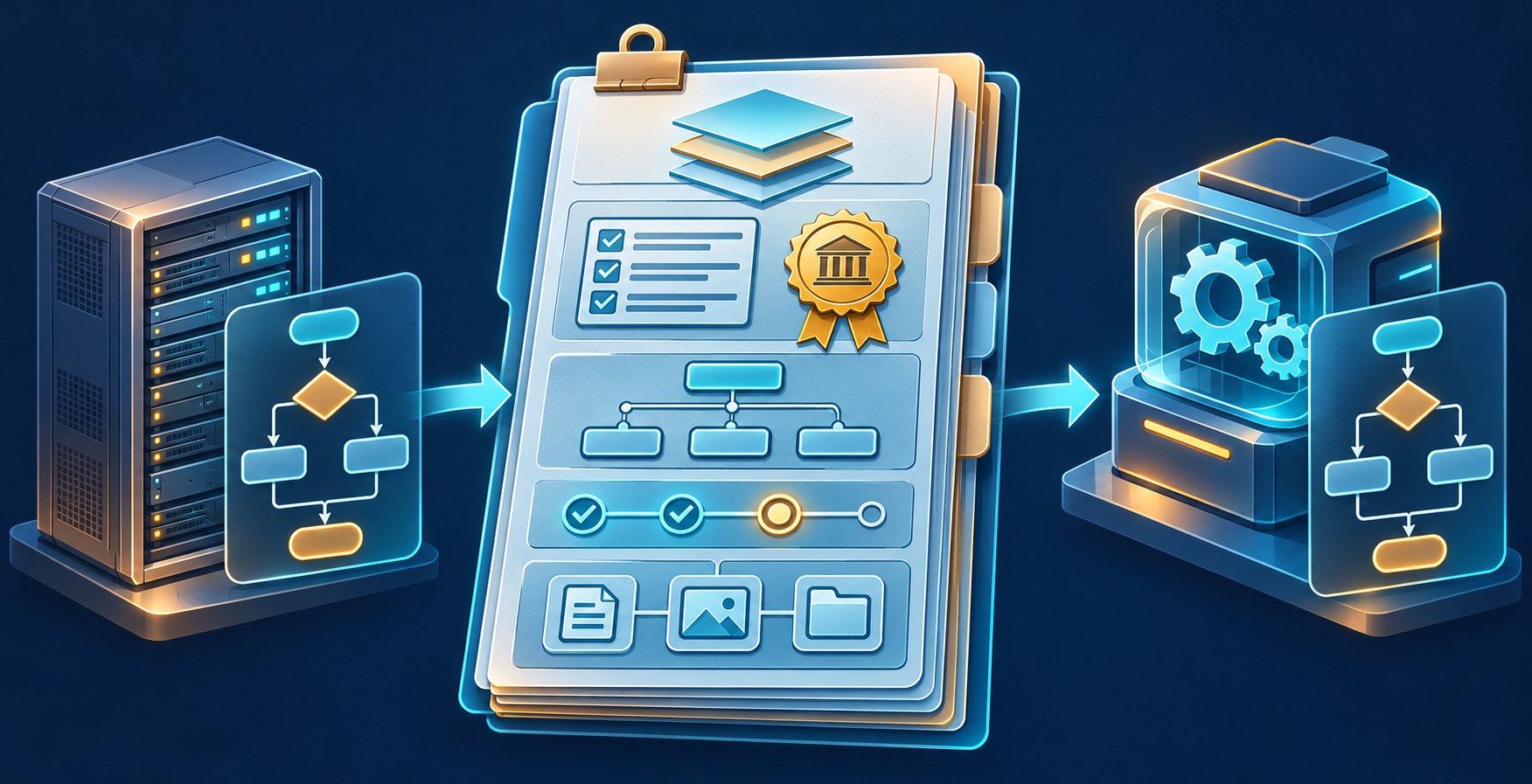

If a process has been working for ten years, can you reconstruct why it works that way?
A workflow captures decisions about authority, evidence, timing, responsibility, and acceptable outcomes. To carry those decisions forward, you need to know who could act, which rule applied at the time, what evidence supported the action, and what still had to happen afterward.
Consider a federal office moving an on-premises SharePoint Server purchasing workflow from Nintex Workflow to an engine that cannot import the old definition. A diagram may show that a request went to Finance. The office still needs to establish which official held the delegated authority, which threshold applied on the date of the decision, and which requests were awaiting action when the system was replaced. In this illustrative scenario, 44 U.S.C. § 3101 supplies the federal records obligation. It requires agency heads to make and preserve records that adequately and properly document agency policies, decisions, procedures, and essential transactions.
Establish what the migration can carry forward
Microsoft’s SharePoint Migration Tool guidance covers selected built-in SharePoint workflows and SharePoint Designer workflows. For the workflows it supports, the tool migrates definitions and associations and excludes workflow history. Nintex documents an upgrade from SharePoint on-premises to a Nintex Workflow tenant and directs teams to migrate supporting SharePoint lists, forms, and libraries separately before upgrading. A different vendor’s engine has its own import capabilities.
Verify the exact SharePoint Server and Nintex versions, licensing, export formats, and destination capabilities. Test a representative workflow to identify what transfers and what must be rebuilt. Even when a definition imports successfully, check separately whether the governing rules, past decisions, and open obligations survived.
1. Inventory workflows and their environment
Identify farms, site collections, sites, lists, libraries, and content types that host workflows. Record each workflow’s identifier, version, publication state, business and technical owners, trigger, usage, and status. Export supported definitions, forms, diagrams, configurations, and scripts with source, extraction date, and version. Map dependencies on SharePoint metadata, directory groups, service accounts, databases, APIs, email, and other workflows. Log inaccessible components as extraction gaps.
Acceptance evidence. A controlled inventory, source exports, a dependency map, and a list of extraction gaps. Missing sources can leave a future AI assistant citing an incomplete workflow as if it described the whole process.
2. Verify the business rules and who authorized them
Establish why each workflow exists, who approved it, and which policy, delegation, contract, procedure, or regulation governs it. A purchasing threshold embedded in a Nintex condition shows how the workflow was configured. The business owner still needs to verify who approved the threshold and when it applied. Record each rule’s governing source, effective dates, responsible authority, supersession history, and exceptions. Refer conflicts and rules with unclear authority to the responsible owner before recreating them.
Acceptance evidence. A business-rule register linked to current and historical authorities and approved exceptions. Without effective dates and delegations, an AI assistant may apply today’s threshold or approver to an earlier purchase.
3. Specify the workflow’s full behavior
Describe the process in terms that a business owner can validate and a developer can implement in a different engine. Give exception paths the same attention as the expected route.
- Initiating events and triggers
- Required inputs, documents, and metadata
- Validation, calculations, and branches
- Approval, rejection, delegation, and override authority
- Deadlines, timers, reminders, and escalation
- Exceptions, retries, cancellations, and recovery
- Outputs, notifications, records, and downstream transactions
- Decision evidence, timestamps, and responsible actors
- Security requirements and external dependencies
- Version history, retirement conditions, and retention obligations
Acceptance evidence. A version-controlled specification with defined states, transitions, and testable outcomes. Without exception rules, an AI assistant could present a routine approval as the authorized next step for a case that required escalation.
4. Preserve open instances and past decisions
Identify running, waiting, suspended, failed, canceled, and completed instances. Preserve each original identifier, initiating event, completed actions, approvals, supporting evidence, timestamps, current state, and pending obligations. Decide which open instances should finish in the legacy system, be canceled and restarted under approval, or be transferred through an approved transition. Cross-reference old and new identifiers.
Protect decisions already made and work already performed. Before restarting a legally significant waiting period or repeating an action with external effects, confirm the authority and what the downstream system already did. A cutover needs to prevent duplicate payments and preserve the actual approval record.
Acceptance evidence. An instance-transition register, preserved historical records, and an authorized decision for each open obligation. Without that history, an AI assistant could report an open approval as complete or recommend repeating an action that already occurred.
5. Build the specification around business requirements
Trace each legacy action to its approved requirement and governing source. A Nintex task assignment becomes a requirement to route a qualifying request to the official who holds the applicable delegation and capture the decision, governing policy, evidence, and time. The replacement can use a native approval action, a rules service, or an integration. Preserve the authorized outcome and document any approved change.
Acceptance evidence. A source-to-requirement-to-implementation matrix and approved change log. The trace lets a reviewer check whether an AI explanation cites the rule governing the approval or merely describes what the replacement platform does.
6. Recreate the workflow in the selected engine
Map source fields to destination data. Build triggers, rules, assignments, notifications, exception handling, and downstream integrations. For a Power Automate implementation that still connects to SharePoint Server, verify the supported server version, operations, gateway configuration, licensing, and identity requirements against Microsoft’s SharePoint connector documentation. Reestablish approved permissions and service connections without copying legacy credentials. Obtain business-owner approval for changes to rules or integrations.
Acceptance evidence. A configured replacement with documented data, integration, and security mappings. Test access explicitly so future AI-assisted retrieval can respect the same authorization boundaries and distinguish an access limitation from a missing record.
7. Test governed outcomes and historical reconstruction
Exercise approvals, rejections, delegation, timeouts, failures, access restrictions, and changes in policy. Compare outcomes to the approved specification. Reconstruct a historical decision using the rule and delegation effective at the time, then verify that the decision evidence, records controls, and access permissions still work. Record expected and observed results, evidence, exceptions, remediation, and acceptance authority.
Acceptance evidence. Reproducible tests, business-owner acceptance, and an unresolved-exception register. A historical reconstruction test also gives reviewers a known outcome and source trail against which they can evaluate a future AI answer.
8. Cut over with an approved records and rollback plan
Set a cutoff for new legacy transactions, finish or transition open instances, assign rollback authority, and preserve required definitions, instance history, audit evidence, and mappings in governed repositories. Retire obsolete credentials and connections through approved procedures. After cutover, review exceptions and changes in governing requirements.
For a federal migration, have the records officer and system owner establish which records must be preserved, which schedules and holds apply, and how the records will remain retrievable and protected. 36 CFR Part 1236 addresses the management of federal electronic records. The agency determines the applicable controls for its records and system. Compliance depends on those controls and their implementation.
Acceptance evidence. An approved cutover record, evidence inventory, access review, and named process owner. Before retiring the legacy system, have someone outside the migration team retrieve a completed case and verify it back to the original evidence. Otherwise, an AI assistant may cite only records created after cutover and miss an earlier decision.
Organizational Information Continuity and AI readiness
A future AI assistant may be asked why a purchase was approved, who held authority, or which policy governed it. Test whether a reviewer can follow its answer to a policy version, the effective delegation, the supporting evidence, and the decision record. Where the evidence is missing or inaccessible, the answer should identify that limitation. These are prospective risks in the illustrative scenario.
GovKM’s method combines discovery, authority validation, dependency mapping, historical-state preservation, portable specifications, and evidence-based acceptance. The method is platform-independent. OrgAI is GovKM’s proposed technology for maintaining governed information relationships and flagging changed, missing, or superseded supporting information for review. Business and agency officials retain responsibility for authorities, records obligations, exceptions, and migration acceptance.
The same method applies when a financial institution replaces an approval platform or a healthcare organization changes a system that tracks clinical handoffs. Each organization identifies its own governing rules, responsible roles, evidence, and access restrictions. For a related example about moving repositories and content, see GovKM’s analysis of the Oregon DOJ SharePoint GCC migration requirement.
A workflow engine executes a process. Organizational Information Continuity preserves the information an organization needs to understand, govern, verify, and recreate that process when the engine changes.
GovKM can assess your existing SharePoint and Nintex workflows, reconstruct governing requirements, develop portable specifications, and verify continuity at cutover. Contact GovKM to discuss a workflow continuity assessment.
Continue Exploring

GAO 27-107628: Who Keeps Pension Plan Design Guidance Current?

The Work Is Done. Who Can Close the Request?
